Why glass fights your camera
Glass does two contradictory things at once: it reflects the room like a mirror and lets the background show straight through it. A phone on a kitchen counter captures both problems — your hand and the window mirrored on the surface, and a murky grey backdrop bleeding through the body. The result reads as a dirty bottle, not a clean product.
The fix is to control what the glass reflects and to light the background separately from the object, so the glass stays bright and see-through instead of going grey.
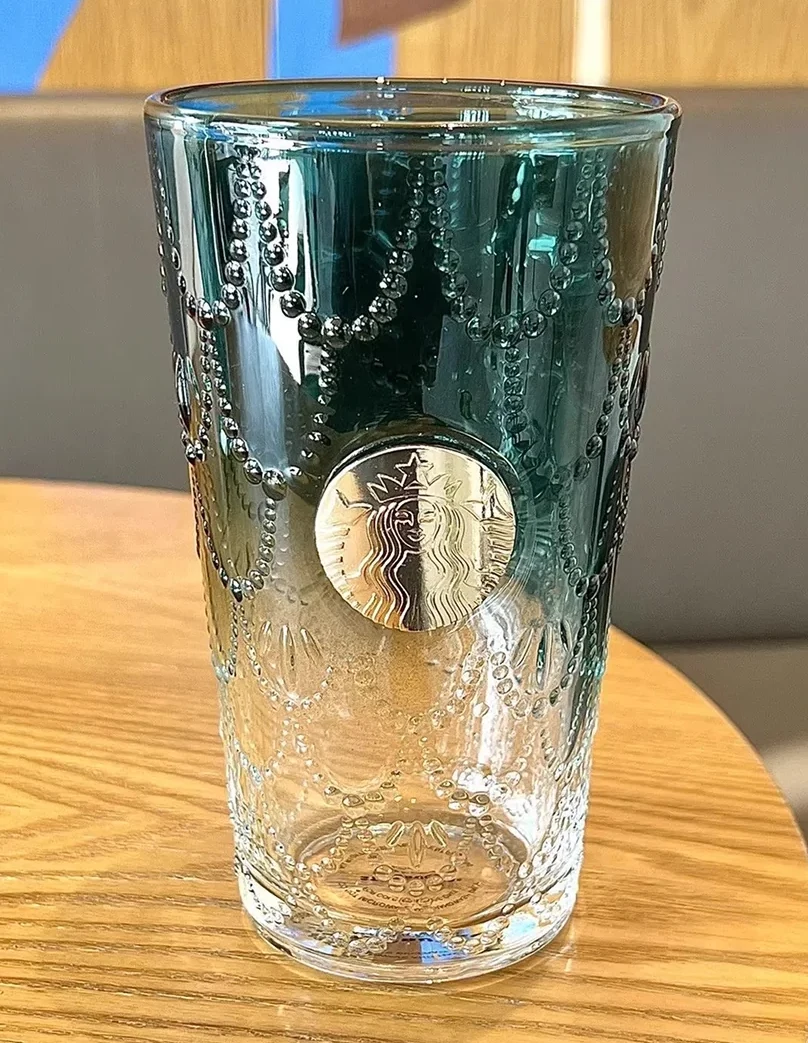 PHONE SHOT
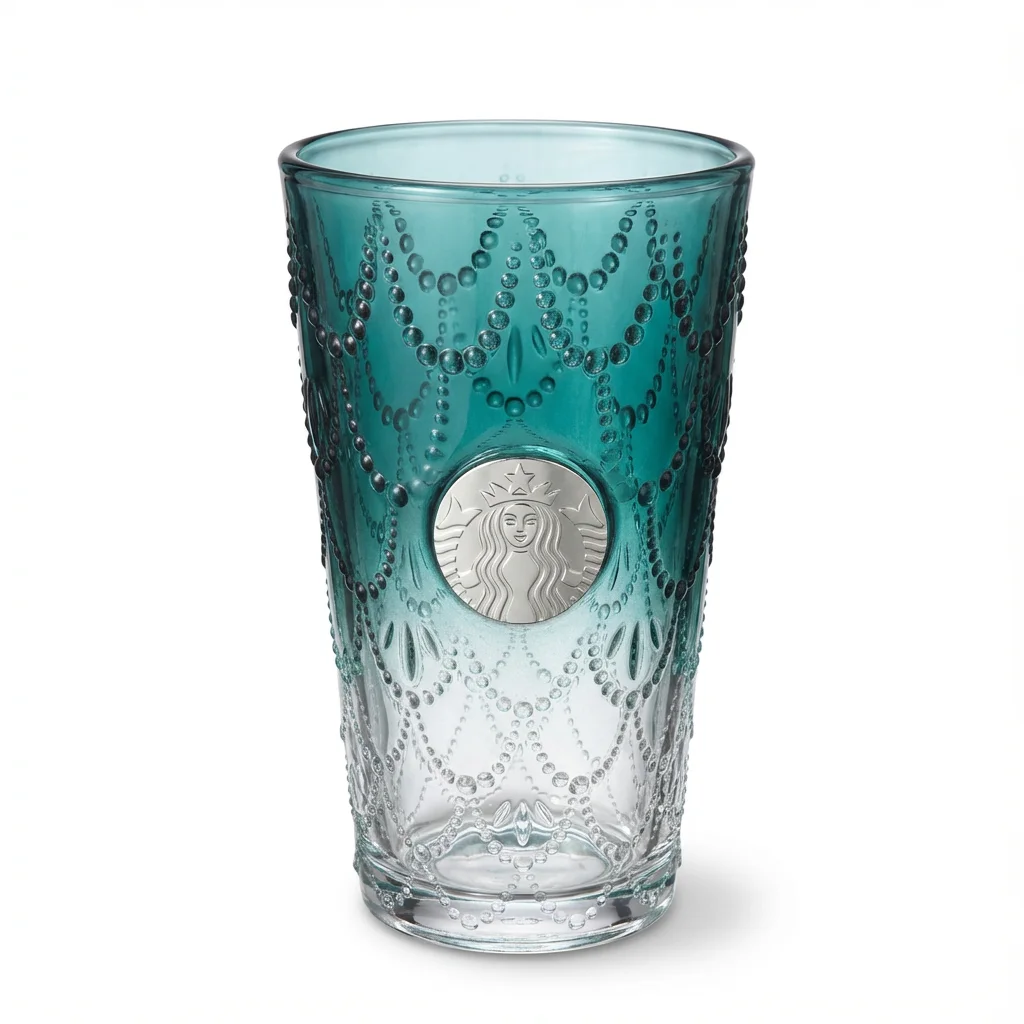 FOCA AI
Lighting glass without a starburst
Use two large, diffuse side lights rather than one hard source. A bare bulb or direct flash becomes a hard white streak on the curve; a big soft source becomes a gentle, rolling highlight that actually describes the shape.
Keep yourself and the room out of the reflection by shooting slightly off-axis and wearing dark clothes. For clear glass, light the background separately (a brighter backdrop) so the body stays transparent rather than turning into a grey blob.
Edges, liquid and labels
Define the edges with a thin strip of black card just out of frame on each side — the dark edge reflection gives the rim a crisp line against white. For filled bottles, a touch of backlight makes the liquid glow true to colour.
Shoot labels square-on so curved text stays legible, and clean every fingerprint first — smudges are magnified on glass and read as a used product.
Getting to a pure-white main image
Amazon's main image needs a pure RGB 255 white background. Manually masking transparent glass — keeping the see-through body while removing the backdrop — is the slow, fiddly part most sellers get wrong.
Foca AI treats reflections and transparency as part of the product rather than background to cut away, drops the piece on clean white, and keeps edges and liquid colour intact — which is exactly the part that is miserable by hand.
Things people ask
How do I stop reflections on glass?
Replace hard light with two large diffuse sources so highlights roll softly across the curve, shoot slightly off-axis, and keep the room (and yourself) dark so it isn't mirrored on the surface.
How do I keep clear glass transparent and not grey?
Light the background separately and more brightly than the object so light passes through the glass. A little backlight keeps the body see-through instead of turning into a murky grey shape.
How do I get a pure white background for glass on Amazon?
Shoot cleanly first, then cut the piece out and place it on RGB 255 white. Masking transparent glass by hand is tedious; Foca AI does it in one tap while preserving the see-through body and edges.
Why do my glass photos look dirty?
Almost always fingerprints and reflections. Wipe the piece with a microfiber cloth before shooting — smudges are magnified on glass — and diffuse your lighting to remove hard streaks.
Does this apply to crystal and acrylic too?
Yes. Crystal, cut glass and clear acrylic share the same reflection-plus-transparency challenge and respond to the same diffuse-light, separate-background approach.